The combination of Tachiyomi WebtoonXYZ has become one of the most popular ways to read webtoons, manhwa and manga for free on Android. Many readers wonder how to add WebtoonXYZ to Tachiyomi, fix the Cloudflare loop or check if the extension is safe.
This detailed guide will explain everything, from Tachiyomi extensions and basic manga reader features to WebtoonXYZ alternatives.
You’ll also learn step-by-step methods to fix common issues like sources not loading, WebtoonXYZ being blocked, or the extension not working.
By the end, you’ll know exactly how to integrate Tachiyomi with WebtoonXYZ and discover the best webtoon sources to use.
What is Tachiyomi? Understanding the Basics?
Tachiyomi is a free, open-source manga and webtoon reader app for Android. It allows users to read thousands of manga, manhwa and webtoon series by adding extensions known as Tachiyomi sources.
These extensions act like plugins that connect the app to various websites, including sources for comics, manga and Korean manhwa.
The Tachiyomi manga reader is widely loved because it is lightweight, customizable, privacy friendly and fully ad-free.
Unlike many webtoon reader apps, Tachiyomi lets you organize your library download chapters, switch readers, change reading mode and adjust themes.
Many also use the Tachiyomi J2K version, a more polished fork with advanced UI features.Readers who use webtoon websites often integrate WebtoonXYZ into Tachiyomi by using a working extension.
This combination allows them to read WebtoonXYZ content directly inside the app instead of browsing through ads and popups on the website.
What is WebtoonXYZ? A Quick Overview?
WebtoonXYZ is a popular free webtoon reading site that offers a huge library of manhwa, manga and comics. It hosts Korean, Chinese and Japanese titles, many of which are translated into English.
Many readers try to add WebtoonXYZ to Tachiyomi because it provides clean chapters, fast updates and a wide selection of uncensored content.
However, users often complain about WebtoonXYZ blocked errors, Cloudflare protection issues or whether WebtoonXYZ is even safe to use.
Because of this, the combination of tachiyomi webtoonxyz has become a hot topic, as readers want to integrate both platforms smoothly without interruptions.
Why People Use Tachiyomi With WebtoonXYZ?
Readers combine these two platforms because Tachiyomi provides a better reading experience, while WebtoonXYZ provides free access to thousands of titles.
When you use WebtoonXYZ through Tachiyomi extensions, you get faster loading, no pop-ups and smoother scrolling.
Many also prefer reading WebtoonXYZ on Tachiyomi because the Tachiyomi Webtoon extension supports vertical reading mode, making it perfect for Korean manhwa and webtoons.
Additionally, Tachiyomi manga sources list contains many sites, but few offer the variety found on WebtoonXYZ. The overall user experience becomes cleaner, ad-free and more organized.
Is WebtoonXYZ Safe or Not?
Many readers wonder about this. WebtoonXYZ isn’t an official site it is an unofficial platform that gathers webtoons in one place.
It is not inherently dangerous but users should be aware that such sites may contain intrusive ads when viewed through a browser.
Through Tachiyomi, the risk is reduced because the app blocks most external scripts. This is why many prefer reading WebtoonXYZ on Tachiyomi instead of using the website directly.
Still, you should always use VPNs and avoid downloading files directly from unknown links on such sites.
Benefits of Using Tachiyomi with WebtoonXYZ
Combining WebtoonXYZ with Tachiyomi offers multiple advantages for webtoon readers. It improves the overall reading experience, making it faster and more enjoyable. These features explain why this combination is so popular among mobile users.
Ad-Free Reading Experience
Tachiyomi removes ads, pop-ups, and redirects from webtoon pages. Even when using WebtoonXYZ as a source, you can enjoy uninterrupted reading. This makes reading long chapters much more comfortable and distraction-free.
Faster Loading and Smooth Navigation
Tachiyomi’s optimized templates load content efficiently. Chapter transitions are quicker, allowing readers to move seamlessly between episodes. This reduces waiting time and enhances the overall reading flow.
Unlimited Customization Options
You can adjust color filters, reading modes, page orientation, and zoom levels. Page transitions can also be customized to match your reading preference. This ensures a personalized and immersive reading experience for each user.
Offline Downloads for On-the-Go Reading
Full chapters from the WebtoonXYZ extension can be downloaded to your device.
You can read webtoons offline without worrying about internet connectivity. This feature is ideal for commuting, traveling or reading in areas with poor network coverage.
Cloudflare Bypass Attempts
Some Tachiyomi forks attempt to bypass Cloudflare restrictions automatically. This helps access content that might otherwise be blocked or slow to load. It ensures a smoother reading experience without frequent interruptions.
Centralized Library for Easy Organization
All your webtoon and manga sources remain organized within a single app. You can easily manage your favorites, track new chapters and maintain reading progress. A centralized library simplifies browsing multiple platforms in one place.
How to Use Tachiyomi for Reading Webtoons from Various Sources?

If you are new to Tachiyomi, this guide will help you set up the app to read webtoons easily.
It covers sources like WebtoonXYZ and other free webtoon platforms. By following these steps, you can enjoy a smooth reading experience on your device.
Install the Tachiyomi App on Your Device
Visit the official Tachiyomi GitHub page or trusted mirrors to download the latest APK. Make sure to enable installation from unknown sources in your device settings. This ensures the app installs correctly and functions without errors.
Install Extensions to Access Webtoon Content
Open Tachiyomi → Extensions → search for webtoon or manhwa-related extensions.Official WebtoonXYZ may not be available, so users often rely on community-created extensions.
These extensions allow you to access a wide range of webtoon titles and sources.
Add Your Favorite Webtoon Sources
Choose sources that support vertical reading for an optimal experience. Many extensions cover popular Korean manhwa and free webtoon platforms. Adding multiple sources ensures you never run out of new stories to explore.
How to Add WebtoonXYZ to Tachiyomi
If a community extension exists, just tap Install to add it. Otherwise, manually importing a GitHub extension file may be required. Once added, you can access WebtoonXYZ content directly in the app without visiting the website.
Start Reading Your Favorite Webtoons
Browse the added sources and explore titles to add to your library.Adjust reading settings like scrolling style, zoom, or dark mode for comfort. This lets you enjoy webtoons in a way that suits your personal reading preference.
How to Add WebtoonXYZ to Tachiyomi
Many users want to know how to add WebtoonXYZ to Tachiyomi, but the exact steps can vary depending on the availability of community-made extensions.
Integrating WebtoonXYZ allows readers to browse, search and read webtoons directly through Tachiyomi, providing a smoother and ad-free experience.
Download the Community-Made Extension from GitHub
The first step is to find a WebtoonXYZ extension for Tachiyomi on GitHub. Since WebtoonXYZ does not have an official extension, these community-made plugins are the only way to add the source. Make sure to download the latest version to avoid compatibility issues with your Tachiyomi app.
Enable Third-Party Extensions in Tachiyomi Settings
Once the extension file is downloaded, you need to allow third-party extensions within Tachiyomi. This setting ensures the app can recognize and install extensions that are not available in the official list, making it possible to add WebtoonXYZ safely.
Install the WebtoonXYZ Extension File on Your Device
After enabling third-party extensions, tap on the downloaded .apk file to install it. Once installed, the extension will appear in the Tachiyomi sources list, ready to provide access to the WebtoonXYZ library.
Add WebtoonXYZ as a Source in Tachiyomi
Restart Tachiyomi to refresh the sources. Then, check your sources list to confirm that WebtoonXYZ has been successfully added.
This step ensures that all new chapters and updates from WebtoonXYZ can be accessed within the app.
Browse and Start Reading Webtoons Smoothly
With the extension installed and active, you can browse or search for your favorite webtoons directly in Tachiyomi.
The reading experience is smooth, uninterrupted and ad-free, making it a convenient alternative to visiting the WebtoonXYZ website.
Tachiyomi WebtoonXYZ Not Working? Here Are the Real Fixes
Tachiyomi WebtoonXYZ not working is a common issue because WebtoonXYZ often updates its scripts and uses Cloudflare protection, which breaks the extension. Usually, updating your Tachiyomi extensions fixes most errors.
If not, switching to the Tachiyomi J2K version helps as it handles Cloudflare better. You can also try using Tachiyomi Preview or other forks with improved webview support.
Clearing cookies from WebView settings and restarting the app often restores access. If the site is region-blocked, using a VPN may solve the problem.
Finally, disabling DNS-based ad blockers is important because they can stop Cloudflare pages from loading properly. These methods usually fix Tachiyomi WebtoonXYZ loading issues.
Understanding the Tachiyomi WebtoonXYZ Cloudflare Loop
The Cloudflare loop appears when WebtoonXYZ detects automated scraping. Tachiyomi extensions use requests that sometimes trip Cloudflare, causing an endless verification loop.
How to Fix the Cloudflare Loop:
- Try using webview login method
- Change user agent
- Switch VPN servers
- Use Tachiyomi J2K fork
- Wait 24 hours (Cloudflare sometimes temporarily blocks IPs)
This fix works for most users who face Tachiyomi WebtoonXYZ Cloudflare loop issues.
Best Extensions for Tachiyomi Webtoon Reading
Tachiyomi supports a wide range of extensions, but some perform far better than WebtoonXYZ in terms of speed, stability, and consistent loading.
Before choosing an extension, it’s important to understand which sources offer smoother performance and fewer Cloudflare interruptions.
Popular and More Stable Alternatives
Several extensions work more reliably than WebtoonXYZ because their servers are faster and less affected by Cloudflare filtering.
Many readers prefer Asura, Reaper Scans, Toonily, Leviatan Scans, MangaBuddy, MangaKakalot, Mangasusu and FlameScans as these sources load chapters quickly and update regularly.
Using these options helps avoid common WebtoonXYZ issues and ensures a smooth reading experience inside Tachiyomi.
WebtoonXYZ Alternative Sites
WebtoonXYZ is a popular choice, but it can sometimes become slow, blocked or unstable due to backend updates and Cloudflare protection.
When this happens, switching to a more reliable alternative can provide a better overall reading experience on Tachiyomi.
Stable and Reliable Webtoon Options
Webtoon, Tapas, Lezhin, MangaKatana, MangaBuddy and Reaper Scans are considered excellent alternatives when WebtoonXYZ is not functioning properly.
These sites maintain stronger servers and consistent accessibility making them easier for Tachiyomi to load without errors.
Because they face fewer technical disruptions, readers enjoy smoother navigation and better chapter availability.
Is the WebtoonXYZ App Download Worth It?
WebtoonXYZ sometimes promotes an app, but it is not official. Tachiyomi remains a safer option because it is open-source and community-verified. Most readers prefer using Tachiyomi instead of downloading unknown apps.
Tachiyomi App Download Options
You can download different Tachiyomi versions depending on your preference:
- Official Tachiyomi
- Tachiyomi J2K
- Tachiyomi Preview
- Tachiyomi SY (removed, but older versions still exist)
The Tachiyomi APK latest version provides stable performance and extension support.
Tachiyomi Sources Not Loading Fix
If your Tachiyomi sources stop working, try these steps:
- Update extensions
- Update the app
- Clear cookies
- Change DNS
- Enable WebView updates
- Install alternative forks
Most of the time, broken sources are caused by website script updates.
How Tachiyomi Handles Vertical Webtoon Mode
Tachiyomi supports two main modes: paged mode and webtoon vertical mode. When reading Korean manhwa or WebtoonXYZ content, most users switch to vertical mode for smoother scrolling.
You can adjust animation, color filters, page spacing or even crop borders. This makes Tachiyomi ideal for long vertical chapters.
Why Vertical Mode Improves Webtoon Reading
Vertical mode removes page breaks and provides a continuous, smooth reading experience. Most webtoons are designed specifically for scrolling, so this mode preserves the original layout and artwork as intended by the creators.
It not only improves readability but also reduces eye strain during long reading sessions, making webtoon consumption more comfortable and enjoyable.
Difference Between Tachiyomi vs Webtoon App
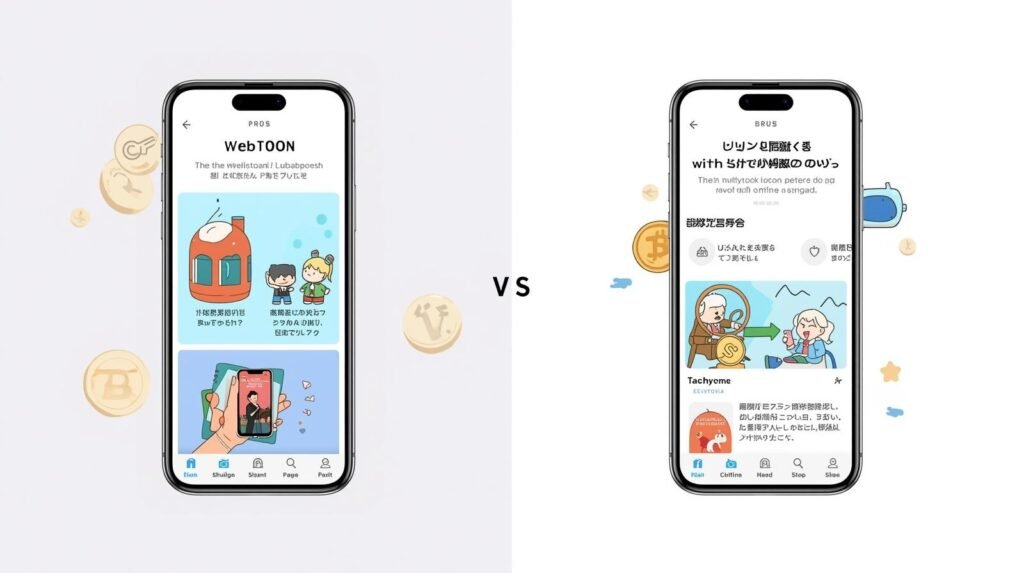
The official Webtoon app focuses on licensed content and uses a coin system for unlocking episodes, providing a polished and reliable reading experience.
Tachiyomi, in contrast, is completely free and supports multiple sources, including unofficial websites. It offers readers total freedom, offline access, and a wider variety of content.
This makes Tachiyomi ideal for those who value flexibility and customization in their reading experience.
Which One Is Better for Readers?
If you prefer legal reading while supporting creators, the official Webtoon app is the best choice. It offers licensed content, a polished interface, and reliable updates.
On the other hand, if you value flexibility, customization and access to a wider variety of webtoons from multiple sources, Tachiyomi is superior.
Its offline reading, extensions and ad-free experience make it a favorite for many dedicated readers.
Why Tachiyomi Alternatives Are Growing
Due to issues like WebtoonXYZ Cloudflare errors and frequent website blocks, many users are turning to Tachiyomi alternatives such as Mihon, Paperback, and Kotatsu Reader.
These alternative apps provide similar extensions and features, often bypassing restrictions more effectively.
For readers seeking uninterrupted access to a wide range of webtoons, using these alternatives can ensure a smoother and more reliable reading experience.
Should You Switch to an Alternative?
You should consider switching to a Tachiyomi alternative only if the app stops working entirely or if your essential extensions break permanently.
Otherwise, Tachiyomi remains the best choice for most readers, thanks to its active community support, extensive range of features, offline access and customization options.
Sticking with Tachiyomi ensures a stable and enjoyable reading experience across multiple webtoon and manga sources.
Conclusion
The combination of tachiyomi webtoonxyz offers one of the most versatile ways to read webtoons online free.
Even though WebtoonXYZ often faces Cloudflare problems, blocks and extension issues, Tachiyomi’s custom extensions and forks provide ways to bypass limitations.
Whether you want to use the Tachiyomi J2K version, search WebtoonXYZ alternative sites, or simply read smoothly without ads, Tachiyomi remains the top choice.
By understanding how to add WebtoonXYZ to Tachiyomi, how to fix extension errors and how to choose the best webtoon sources, you get the smoothest reading experience possible.
FAQs
What is tachiyomi webtoonxyz?
It refers to using the Tachiyomi app with WebtoonXYZ as a content source, allowing you to browse and read webtoons directly through the app.
How do I add WebtoonXYZ to Tachiyomi?
You can install it through the Extensions tab inside the app by downloading a trusted repository that includes WebtoonXYZ.
Why isn’t my Tachiyomi WebtoonXYZ working?
Cloudflare restrictions or outdated extensions usually cause this. Updating or reinstalling often solves the problem.
Is WebtoonXYZ safe in Tachiyomi?
yes but users should exercise caution, use trusted sources and keep extensions updated.
Can I read webtoons offline in Tachiyomi?
Yes, chapters can be downloaded for offline access.
What’s special about the Tachiyomi J2K version?
It offers smoother scrolling, improved layout options and enhanced performance for webtoons.
Are there alternatives to WebtoonXYZ?
Yes, Webtoons.com, MangaDex and Bato.to provide safer or official content options.
How can I fix the WebtoonXYZ Cloudflare issue?
Update the extension, clear the cache or use a reliable VPN location to bypass the loop.